

A mobile repair shop is more than a place where technicians fix smartphones. It is also a customer-facing business.
When a customer walks into your shop, the interior can influence their first impression. A clean workbench, organised tools, clear service information, proper lighting, and a professional reception area can make the business feel more trustworthy.
You do not need an expensive showroom to create a professional repair shop.
With smart planning, even a small space can be organised efficiently.
This guide covers practical Mobile Repair Shop Interior Ideas for beginners, technicians, and entrepreneurs planning a new repair business.
- Why Mobile Repair Shop Interior Matters
- Plan Your Shop Before Buying Furniture
- Create a Professional Reception Area
- Design an Efficient Repair Workbench
- Organise Your Mobile Repair Tools
- Use Proper Lighting
- Create Separate Customer and Repair Areas
- Display Your Services Clearly
- Choose the Right Furniture
- Storage Ideas for Spare Parts
- ESD and Technician Safety
- Keep the Shop Clean and Organised
- Branding Ideas for a Mobile Repair Shop
- Create a Professional Waiting Area
- CCTV and Security Considerations
- Small Mobile Repair Shop Interior Ideas
- Advanced Display Repair Workspace
- Budget-Friendly Interior Ideas
- Common Interior Design Mistakes
- How Interior Design Can Improve Customer Experience
- Online Presence for Your Repair Shop
- Why Choose Screen Fixer Institute?
- Suggested Articles Links
- Recommended Global Resources
- Frequently Asked Questions
- How much space is required for a mobile repair shop?
- What should a mobile repair shop interior include?
- How can I design a small mobile repair shop?
- What tools should be visible in a repair shop?
- Should the customer area be separate from the repair area?
- How important is lighting in a mobile repair shop?
- Should I spend a lot on interior decoration?
- Can a professional interior attract more customers?
- Start Building Your Mobile Repair Career With Screen Fixer Institute
- Conclusion
Why Mobile Repair Shop Interior Matters
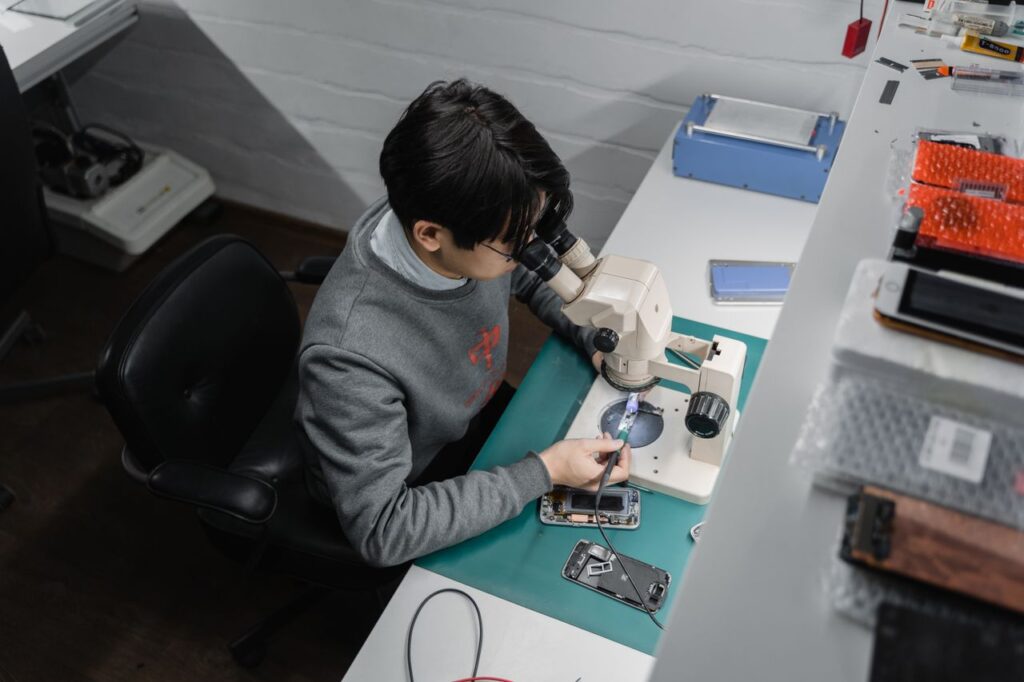
A customer may not understand the technical difference between two repair shops.
However, they can immediately notice whether a shop looks organised, clean, and professional.
A good interior can help communicate:
- Professionalism
- Cleanliness
- Organisation
- Technical capability
- Customer care
- Attention to detail
The goal is not to make the shop look luxurious.
The goal is to make the space functional, comfortable, safe, and trustworthy.
Plan Your Shop Before Buying Furniture

One of the biggest mistakes is buying furniture first and planning the workspace later.
Start by measuring the available space.
Consider:
- Shop length
- Shop width
- Entrance position
- Electrical points
- Lighting
- Storage space
- Customer seating
- Workbench position
- Equipment placement
Make a simple floor plan before purchasing anything.
Think about how a customer moves from the entrance to the reception desk and how a technician moves between the workbench, storage, and testing areas.
Good planning can make a small shop feel much more spacious.
Create a Professional Reception Area
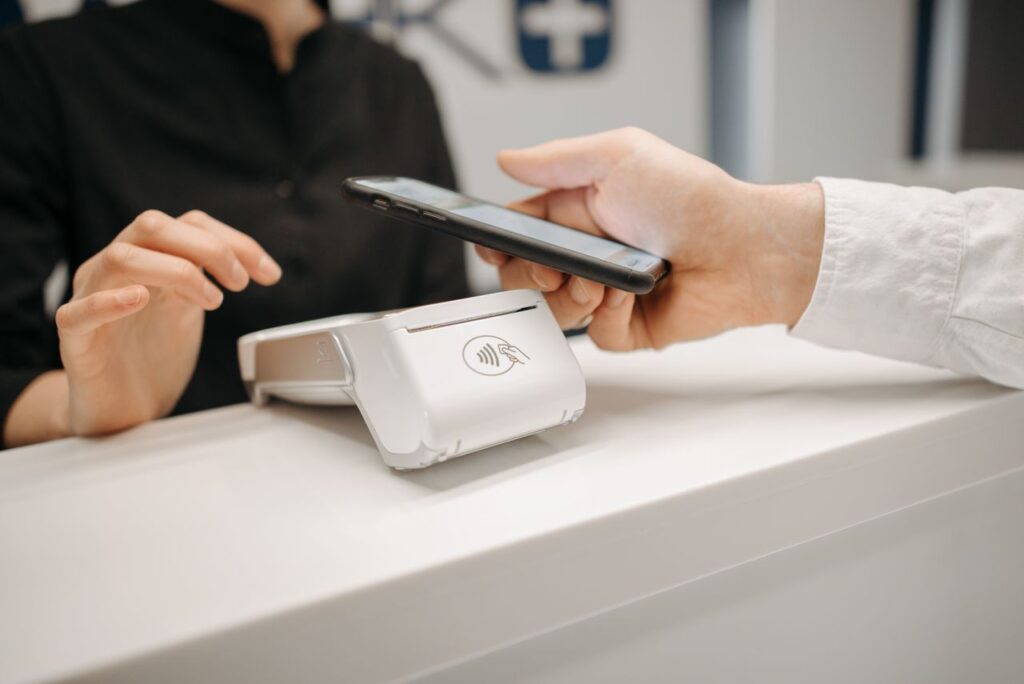
The reception area is usually the first thing a customer sees.
It does not have to be large.
A simple counter can include:
- Business name
- Logo
- Contact number
- Service information
- Payment information
- Customer enquiry space
Keep the counter clean.
Avoid placing piles of phones, loose tools, packaging, and unrelated items around the reception area.
A clean counter immediately gives the shop a more professional appearance.
Design an Efficient Repair Workbench

The repair workbench is the heart of a mobile repair shop.
It should provide enough space for:
- Smartphone disassembly
- Soldering
- Testing
- Inspection
- Component handling
- Tool placement
A technician should be able to reach frequently used tools without repeatedly leaving the workstation.
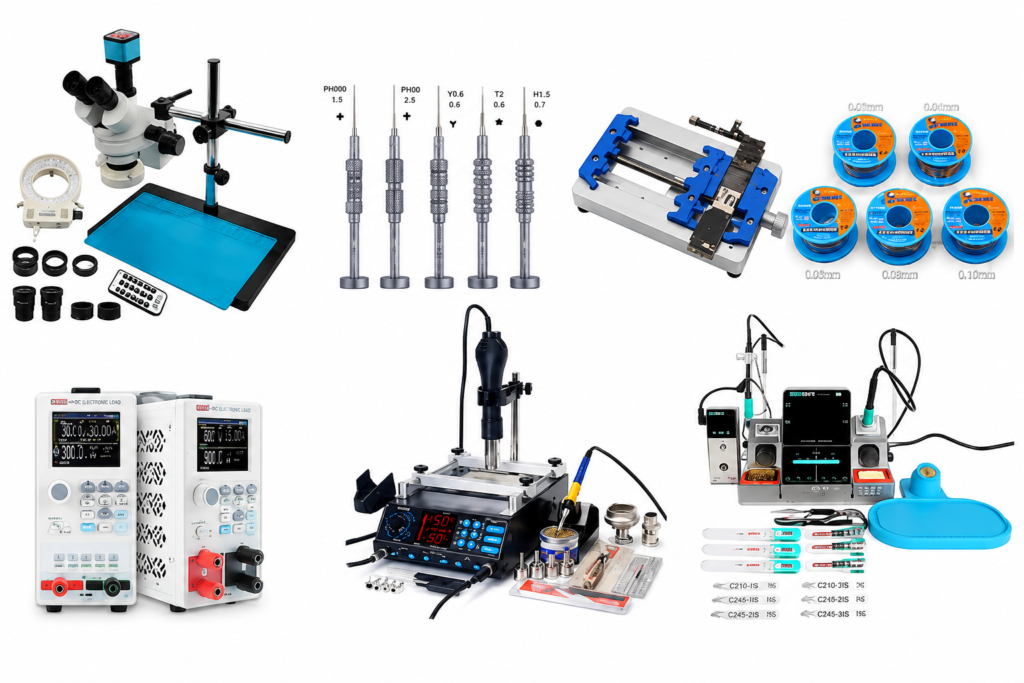
A practical workstation may include:
- Precision screwdriver set
- Tweezers
- Soldering station
- Hot air station
- Multimeter
- DC power supply
- Microscope
- Magnetic repair mat
- ESD protection
- Small component trays
For more information, link this article to your Best Mobile Repair Tools and Mobile Repair Shop Equipment List guides.
Organise Your Mobile Repair Tools
A professional repair shop should not have tools scattered across the workbench.
Create dedicated storage areas.
For example:
Drawer 1
Precision screwdrivers
Drawer 2
Tweezers and pry tools
Drawer 3
Soldering accessories
Drawer 4
Connectors and small components
Drawer 5
Cleaning and consumable materials
Labelled storage can save time and reduce the chance of losing small components.
It also makes the workstation easier to clean.
Use Proper Lighting
Lighting is extremely important for mobile repair work.
Technicians regularly work with small components, connectors, solder joints, and display parts.
Poor lighting can make detailed work more difficult.
Consider using:
- Bright workstation lighting
- Adjustable task lights
- Microscope lighting
- Even overhead lighting
Avoid creating strong shadows over the repair area.
The customer-facing area can have a different lighting arrangement, but the technician’s workbench should prioritise visibility.
Create Separate Customer and Repair Areas
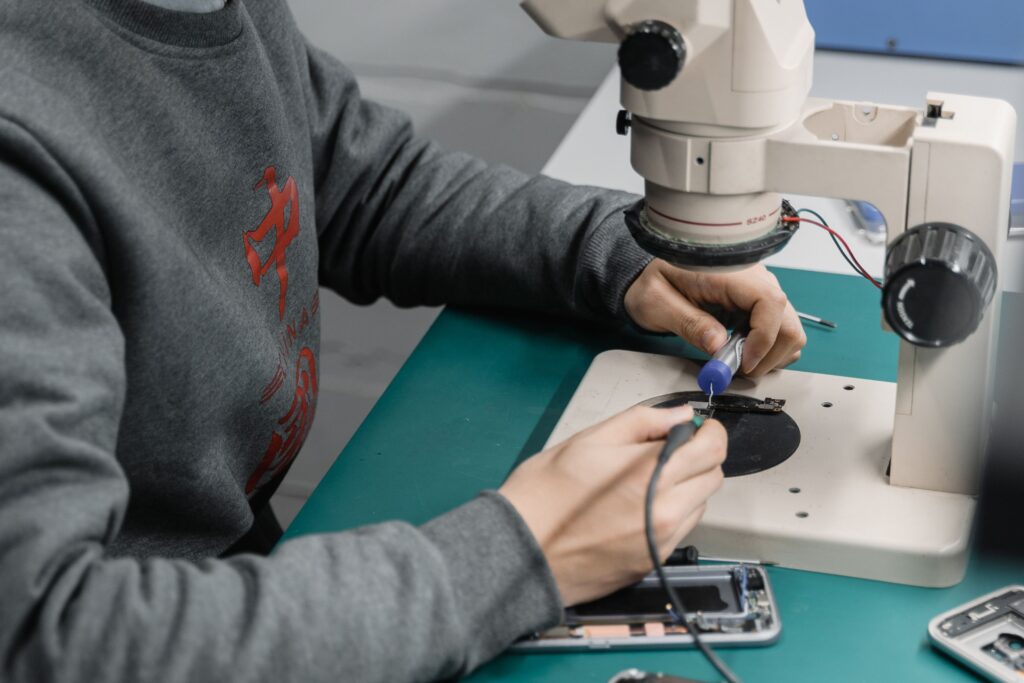
If the shop has enough space, separate the customer area from the technical workspace.
This provides several benefits.
Customers can wait comfortably while technicians work without unnecessary interruptions.
It also helps protect customer devices and sensitive repair equipment.
A simple layout can be:
Entrance → Reception → Waiting Area → Repair Workspace → Storage
For a very small shop, even a visual separation using counters or shelving can help.
Display Your Services Clearly

Customers should understand what your business does without having to ask about every service.
A wall panel or service board can list categories such as:
Mobile Repair
- Hardware Repair
- Software Troubleshooting
- Charging Repair
- Battery Replacement
Display Repair
- Display Replacement
- Glass Repair
- Edge Display Repair
- Display Line Repair
Advanced Repair
- Track Repair
- Flex Bonding
- COF IC
- Fold & Flip Display Repair
Only advertise services that you actually provide.
Clear service communication can make it easier for customers to understand your expertise.
Choose the Right Furniture
Furniture should be selected for function rather than appearance alone.
Workbench
Choose a sturdy table with enough depth for your equipment.
Technician Chair
An adjustable chair can make long repair sessions more comfortable.
Storage Cabinets
Use closed cabinets for spare parts, devices, and sensitive equipment.
Reception Counter
Keep it compact if your shop is small.
Customer Seating
Two or three comfortable chairs may be enough for a small repair shop.
Avoid filling the shop with unnecessary furniture.
Storage Ideas for Spare Parts
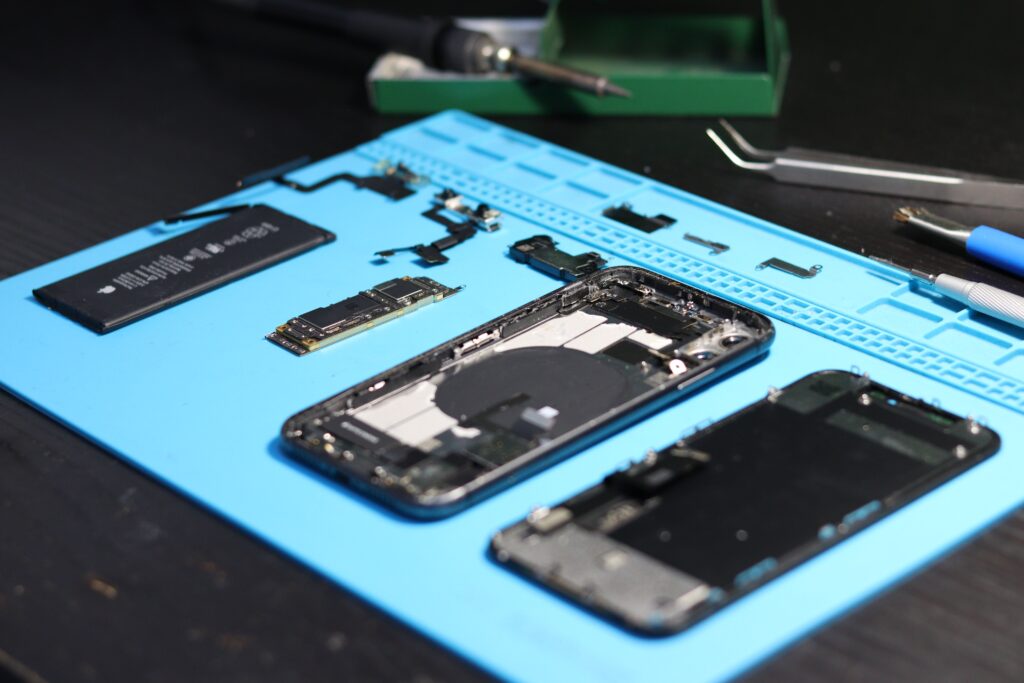
Spare parts need organised storage.
Use labelled containers for:
- Display components
- Charging connectors
- Cameras
- Speakers
- Microphones
- ICs
- Small connectors
- Screws
- Flex cables
For expensive or delicate components, consider secure storage.
Maintain an inventory record so you know what is available before ordering more parts.
This connects directly with your Mobile Repair Business Profit strategy because poor inventory control can tie up business capital.
ESD and Technician Safety
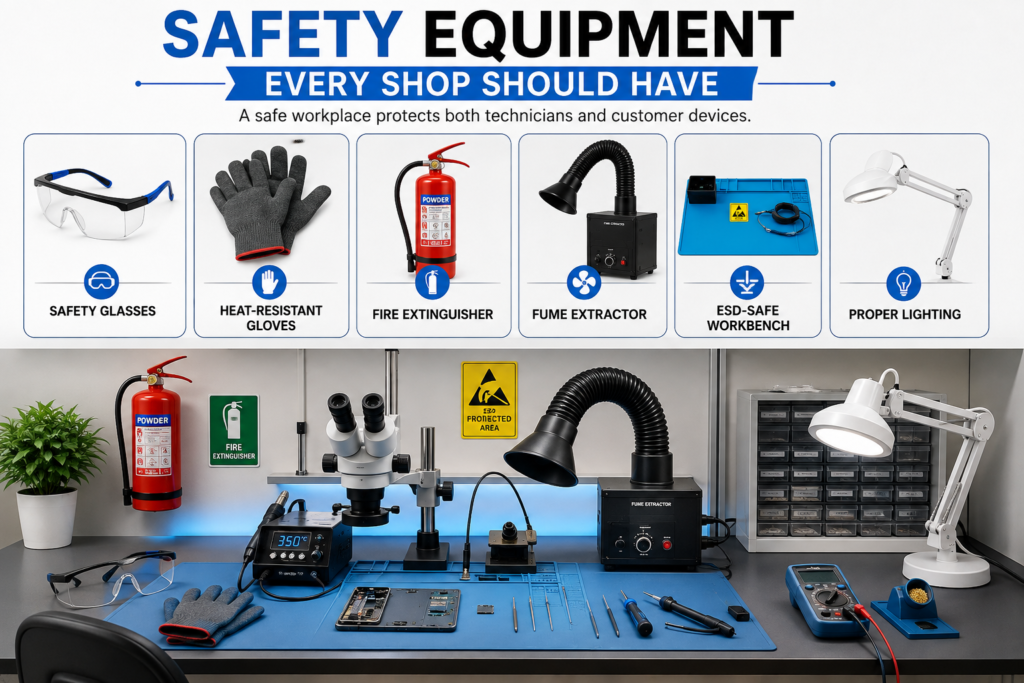
Interior planning should also consider technician safety.
Electronic components can be sensitive to electrostatic discharge.
A professional workspace may therefore include appropriate ESD protection, depending on the repair activities being performed.
Also keep:
- Electrical cables organised
- Work surfaces clear
- Equipment properly positioned
- Ventilation adequate for the work
- Soldering equipment safely placed
Safety should be part of the shop design rather than an afterthought.
Keep the Shop Clean and Organised
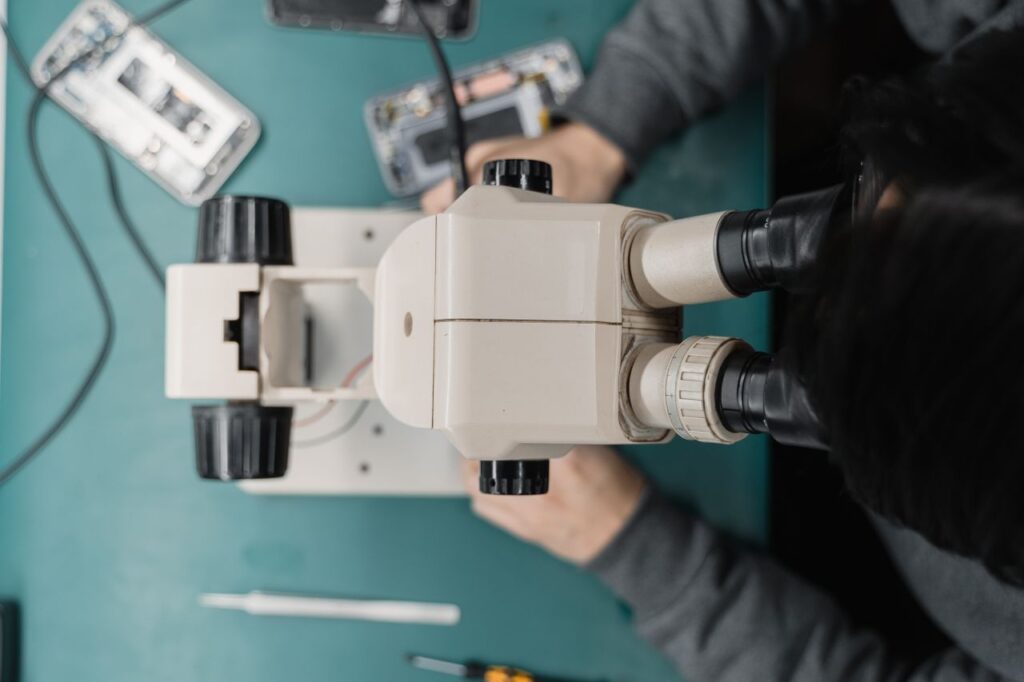
A repair shop can become messy very quickly.
Small components, packaging, tools, screens, and customer devices can accumulate throughout the day.
Create a simple cleaning routine.
Before Opening
- Clean the reception desk
- Organise tools
- Check workstations
- Remove unnecessary items
During the Day
- Return tools after use
- Keep customer devices labelled
- Separate completed repairs from pending repairs
At Closing
- Clean workbenches
- Store tools
- Secure customer devices
- Check equipment
- Dispose of waste appropriately
A clean shop is easier to work in and more pleasant for customers.
Branding Ideas for a Mobile Repair Shop

Your interior should reflect your business identity.
Use consistent branding across:
- Signboard
- Logo
- Wall graphics
- Service board
- Visiting cards
- Packaging
- Social media
- Website
Avoid covering every wall with advertisements.
A clean logo, clear service categories, and professional signage can often look better than excessive promotional material.
Create a Professional Waiting Area
Customers may have to wait while their device is diagnosed.
Even a small waiting area can improve the experience.
You can provide:
- Comfortable chairs
- Small table
- Charging point
- Service information
- Warranty information
- QR code for your website or WhatsApp
- Business card holder
Keep the area uncluttered.
CCTV and Security Considerations

Mobile phones can be valuable customer property.
Security should therefore be considered when planning the shop.
Depending on the shop layout and local requirements, you may consider:
- CCTV cameras
- Secure storage
- Controlled access to repair areas
- Device tagging
- Customer repair records
- Lockable cabinets
CCTV placement should cover relevant areas without creating unnecessary privacy concerns.
Small Mobile Repair Shop Interior Ideas

A small shop does not need a complicated design.
Use vertical space wherever possible.
Wall-Mounted Storage
Keep frequently used tools within reach without occupying the floor.
Compact Workbench
Choose a workstation designed around your actual equipment.
Multi-Purpose Counter
A reception counter can also provide storage.
Wall Service Board
Display your services without using floor space.
Vertical Display
Use wall-mounted shelves for accessories.
Cable Management
Organise wires underneath the workbench.
The objective is simple:
Use every square foot intelligently.
Advanced Display Repair Workspace

If your business specialises in display repair, the workspace may require additional planning.
Depending on your services and equipment, you may need dedicated areas for:
- Display inspection
- Glass-related work
- Flex bonding
- Display testing
- Microscope work
- Heating equipment
- Component storage
Keep delicate display components away from areas where they could easily be damaged.
Advanced equipment should also have enough surrounding space for safe operation.
Budget-Friendly Interior Ideas
You do not need to spend a large amount of money on interior decoration.
Focus on essentials first.
Prioritise
- Strong workbench
- Good lighting
- Tool storage
- Electrical organisation
- Secure storage
- Clean reception counter
- Basic branding
- Customer seating
Upgrade Later
- Decorative wall panels
- Premium furniture
- Digital displays
- Custom cabinets
- Advanced showroom elements
Your first priority should be a workspace that helps you deliver quality repairs.
Common Interior Design Mistakes
Too Much Decoration
A repair shop is a technical workspace, not only a showroom.
Poor Lighting
Detailed repair work requires good visibility.
No Storage System
Loose tools and parts quickly create confusion.
Customer Area Inside the Repair Zone
Customers should not unnecessarily interfere with technical work.
Poor Cable Management
Loose cables create clutter and can create safety problems.
Buying Furniture Without Measuring
Furniture that is too large can make a small shop difficult to operate.
Ignoring Security
Customer devices should be handled and stored carefully.
How Interior Design Can Improve Customer Experience
Interior design does not directly guarantee more sales.
However, a professional environment can support a better customer experience.
When customers see:
- Organised tools
- Clean workstations
- Clear service information
- Professional branding
- Proper device handling
they may feel more confident about leaving their smartphone with the technician.
The interior should therefore support the overall brand promise:
Professional work + transparent service + careful device handling.
Online Presence for Your Repair Shop

Your physical shop and online presence should communicate the same professional image.
Create a Google Business Profile and keep your business information accurate.
Google says a verified Business Profile allows eligible businesses to manage information such as hours, website, phone number, location, photos, videos, and customer reviews on Google Search and Maps.
You can also upload professional photographs of:
- Shop exterior
- Reception
- Repair workbench
- Tools
- Services
- Team
- Finished repair work
Use genuine photographs rather than stock images.
For skill-development information, you can also explore the official Skill India Digital platform, which is operated by the Ministry of Skill Development & Entrepreneurship and provides access to skill courses and related opportunities.
Why Choose Screen Fixer Institute?

A professional repair shop starts with professional skills.
Screen Fixer Institute provides practical mobile repairing training for students and aspiring technicians.
Training areas include:
- Android & iPhone Repair
- Mobile Hardware Repair
- Mobile Display Repair
- Edge Glass Repair
- Flex Bonding
- Track Repair
- COF IC Training
- Display Line Repair
- Fold & Flip Display Training
- Practical Fault Diagnosis
- Professional Tool Handling
Learning the correct repair techniques before opening a shop can help you make better decisions about tools, equipment, workspace design, and services.
Suggested Articles Links
Read more related articles:
- Mobile Repair Business Guide
- Mobile Repair Business Investment
- Mobile Repair Business Profit
- Mobile Repair Tools List PDF
- How to Start a Mobile Repair Shop
- Mobile Repair Shop Marketing
- Best Mobile Repair Tools
- Mobile Repair Shop Setup Cost
- Mobile Repair Shop Equipment List
- Mobile Repair Technician Career
- Mobile Repairing Salary in India
- Mobile Repairing Course
- Mobile Repairing Course with Placement
- Mobile Repairing Course Fees in Delhi
- Mobile Repair Training for Beginners
- Mobile Display Repairing Course
- Edge Glass Display Repairing Course
- Flex Bonding Training
- Track Repair Training
- COF IC Training
- Display Line Repair Training
- Fold & Flip Display Training
Recommended Global Resources
When discussing business, skills, or digital marketing, use reliable external sources.
Google Business Profile
For information about managing a local business presence on Google Search and Maps:
Google Business Profile – Official Help
Skill India Digital
For readers interested in India’s broader skill-development ecosystem:
Skill India Digital – Official Platform
Frequently Asked Questions
How much space is required for a mobile repair shop?
There is no universal size requirement. A small repair business can operate from a compact space if the layout is planned efficiently.
What should a mobile repair shop interior include?
At minimum, consider a repair workbench, proper lighting, tool storage, spare-parts storage, reception space, electrical organisation, and secure customer-device storage.
How can I design a small mobile repair shop?
Use vertical storage, compact furniture, wall-mounted service boards, organised cable management, and a workbench designed around your actual equipment.
What tools should be visible in a repair shop?
Frequently used tools can remain accessible at the workbench. Expensive or sensitive equipment should be stored securely when not in use.
Should the customer area be separate from the repair area?
If space permits, yes. Separating the areas can make the shop more organised and reduce unnecessary interruptions during technical work.
How important is lighting in a mobile repair shop?
Very important. Technicians work with small components and detailed connections, so good task lighting can improve visibility and working conditions.
Should I spend a lot on interior decoration?
Not necessarily. Prioritise the workbench, lighting, storage, safety, security, and customer experience before decorative upgrades.
Can a professional interior attract more customers?
A professional interior can contribute to a positive first impression, but it does not guarantee more customers. Service quality, pricing, reputation, location, and marketing remain important.
Start Building Your Mobile Repair Career With Screen Fixer Institute

Want to turn your interest in mobile repairing into a professional skill?
Screen Fixer Institute offers practical training designed to help students develop mobile repair skills and understand professional repair techniques.
Training Includes
✅ Android & iPhone Repair
✅ Mobile Hardware Repair
✅ Mobile Display Repair
✅ Edge Glass Repair
✅ Flex Bonding
✅ Track Repair
✅ COF IC Training
✅ Display Line Repair
✅ Fold & Flip Display Training
✅ Practical Fault Diagnosis
✅ Professional Tool Handling
✅ Course Completion Certificate
✅ Lifetime Technical Support
Call / WhatsApp
+91 9250414142
Visit Screen Fixer Institute
https://www.screenfixerdelhi.com
Conclusion
A good Mobile Repair Shop Interior does not have to be expensive.
The most important thing is functionality.
Plan the space before buying furniture. Give the technician enough room to work. Organise tools and spare parts. Install proper lighting. Keep customer devices secure. Create a clean reception area and use professional branding.
Most importantly, design the shop around the services you actually provide.
As your repair business grows, you can gradually upgrade the interior and add specialised workstations for advanced display and hardware services.
A well-planned shop combined with strong technical skills, quality repairs, transparent pricing, and good customer service can create a much stronger foundation for a mobile repair business.