
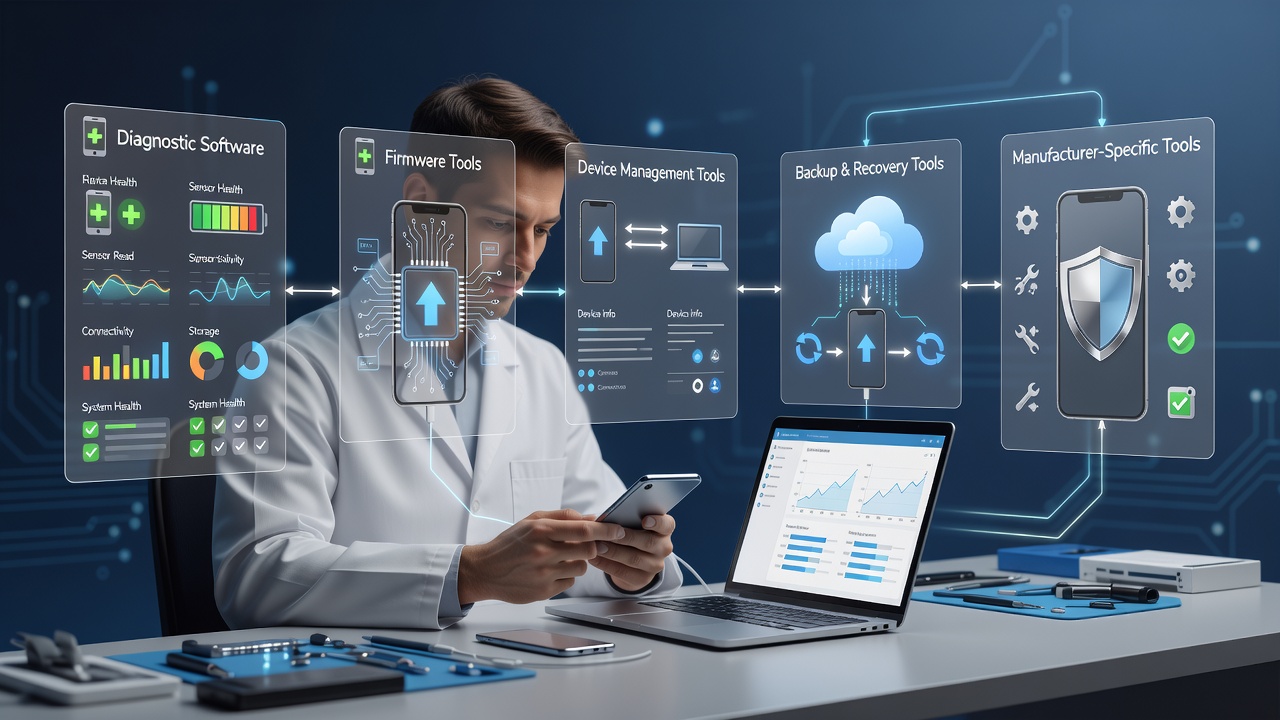
Choosing the right mobile repair software tools is just as important as buying quality hardware equipment. Modern smartphone technicians use software for device diagnostics, flashing, data backup, firmware management, customer job sheets, inventory, and business billing.
Whether you’re learning mobile repairing or opening your own repair shop, this guide explains the most useful software categories, professional workflow, and business management tools.
Important: Always use software legally and only on devices you are authorized to repair. Respect customer privacy and manufacturer policies.
- Why Software Tools Matter
- Types of Mobile Repair Software
- Diagnostic Software
- Android Software Tools
- iPhone Software Tools
- Data Backup & Customer Safety
- Customer Job Sheet Software
- Billing & Inventory Software
- Essential Computer Setup
- Safe Software Practices
- Beginner vs Professional Software Toolkit
- Suggested Articles Links
- Recommended Resources
- Frequently Asked Questions
- Learn Professional Mobile Repair at Screen Fixer Institute
- Conclusion
Why Software Tools Matter
Today’s smartphones combine advanced hardware with complex software systems. A technician often needs software to:
- Diagnose device problems
- Identify firmware versions
- Perform authorized software recovery
- Test hardware functions
- Generate customer invoices
- Manage repair records
- Track inventory
Using the correct software improves accuracy and saves valuable repair time.
Types of Mobile Repair Software
| Category | Primary Purpose |
|---|---|
| Diagnostic Software | Identify device faults |
| Flashing Tools | Install or restore firmware |
| Driver Tools | Connect devices to PC |
| Data Backup | Protect customer information |
| Billing Software | Generate invoices |
| Inventory Software | Manage spare parts |
| Job Sheet Software | Track repair status |
Each category serves a different role in a professional repair business.
Diagnostic Software
Before replacing hardware, technicians should diagnose the actual issue.
Common diagnostic tasks include:
- Battery health
- Charging analysis
- Hardware testing
- Sensor testing
- Display verification
- Connectivity checks
Professional diagnosis reduces unnecessary component replacement.
Firmware & Flashing Tools
Firmware tools help restore compatible software on supported devices.
Typical uses include:
- System recovery
- Software updates
- Boot issue troubleshooting
- Device restoration
- Factory firmware installation
Always download firmware from trusted and authorized sources.
Android Software Tools
Android devices come from multiple manufacturers, so technicians should understand platform fundamentals.
Useful Android software categories include:
- USB drivers
- ADB tools
- Fastboot utilities
- Device diagnostics
- Firmware management
For official Android development documentation, visit Android Developers.
Official Android documentation
Android Developers
Official documentation, tools, and platform resources for Android development and device fundamentals.
iPhone Software Tools
iPhone repair often requires different workflows from Android devices.
Professional technicians may use software for:
- Device detection
- Firmware restoration
- Backup management
- Activation-related diagnostics
- System troubleshooting
Always follow Apple’s official support guidance and authorized repair policies.
Official support and service resources
Apple Support
Official troubleshooting, device support, and repair guidance from Apple.
Data Backup & Customer Safety
Customer data is extremely valuable.
Before performing software-related work:
- Explain the repair process.
- Obtain customer approval.
- Recommend backup whenever appropriate.
- Protect personal information.
- Never access customer files without permission.
Privacy builds long-term customer trust.
Customer Job Sheet Software
A digital job sheet makes repair management much easier.
A professional system should record:
- Customer name
- Phone number
- Device model
- IMEI
- Reported issue
- Physical condition
- Accessories received
- Technician name
- Repair status
- Delivery date
Digital records reduce confusion when handling multiple devices.
Billing & Inventory Software
Business software is equally important.
A repair shop should maintain records for:
| Business Function | Software Purpose |
|---|---|
| Billing | Customer invoices |
| Inventory | Spare parts tracking |
| Expenses | Business accounting |
| Sales | Revenue reports |
| Warranty | Repair history |
| Customers | Contact database |
Good records help improve profitability and business decisions.
Essential Computer Setup
A professional repair workstation should include:
- Windows PC or Laptop
- Reliable SSD storage
- USB 3.0 ports
- Stable internet connection
- External backup drive
- Printer for invoices
- UPS for power protection
A dependable computer becomes the center of software diagnostics.
Safe Software Practices
Follow these best practices:
- Use genuine software whenever possible.
- Keep drivers updated.
- Back up customer data before risky procedures.
- Verify device authorization.
- Avoid untrusted downloads.
- Maintain antivirus protection.
- Keep repair records securely stored.
Professional ethics are as important as technical skills.
Beginner vs Professional Software Toolkit
| Beginner | Professional |
|---|---|
| USB Drivers | Advanced Diagnostics |
| ADB Tools | Firmware Management |
| Basic Billing | Inventory Software |
| Job Sheets | Customer Database |
| Device Testing | Repair Analytics |
Start with essential software and expand as your business grows.
Suggested Articles Links
Read more related articles:
- Mobile Repair Business Guide
- Mobile Repair Shop Equipment List
- Best Mobile Repair Tools
- Mobile Repair Shop Setup Cost
- Mobile Repair Business Profit
- Mobile Repair Shop Interior Ideas
- How to Start a Mobile Repair Shop
- Mobile Repair Technician Career
- Mobile Repairing Course
- Mobile Display Repairing Course
Use descriptive anchor text instead of repeating the same keyword.
Recommended Resources
- Android Developers — Android platform documentation
- Apple Support — Official iPhone support resources
- Google Business Profile — Local business management
- Skill India Digital — Skill development resources
Frequently Asked Questions
Which software is most important for beginners?
USB drivers, ADB tools, basic diagnostic utilities, billing software, and digital job sheet management are excellent starting points.
Is flashing software legal?
Flashing should only be performed on devices you are authorized to repair and using appropriate firmware sources.
Do I need billing software?
Yes. Professional invoices and repair history improve customer trust and business organization.
Should customer data always be backed up?
Whenever possible, yes. Always obtain customer consent before software procedures that may affect data.
Can software replace hardware diagnostics?
No. Professional technicians combine software diagnosis with electrical testing and hardware inspection.
Learn Professional Mobile Repair at Screen Fixer Institute

Want to become a professional mobile repair technician?
Screen Fixer Institute offers practical training covering:
- Android & iPhone Repair
- Mobile Hardware Repair
- Mobile Display Repair
- Edge Glass Repair
- Flex Bonding
- Track Repair
- COF IC Training
- Display Line Repair
- Fold & Flip Display Training
- Professional Tool & Software Workflow
Why Choose Screen Fixer Institute?

- 100% Practical Training
- Industry Experienced Trainers
- Professional Repair Lab
- Course Completion Certificate
- Lifetime Technical Support
📞 Call / WhatsApp: +91 9250414142
Mobile Repair Training Institute
Explore professional mobile repairing courses, display repair training, and business-focused technical education.
Conclusion
The best mobile repair software tools are not simply the newest programs—they are the tools that help technicians diagnose accurately, manage customer records professionally, and perform repairs responsibly.
Build your workflow around diagnostics, data safety, billing, inventory, and customer trust. Combined with practical technical training, the right software creates a stronger foundation for a successful mobile repair business.